Placeholder content - original file not found in upstream repository.
3.1 Hugging Face API Setup in Google Colab
{: #lesson-huggingface-api-setup}
Throughout this course, we will rely on numerous datasets hosted on Hugging Face. Rather than downloading large ZIP files manually and uploading them to your Google Colab instance, we will use the huggingface_hub Python package to directly pull datasets via API.
This approach is faster, less prone to corruption, and completely automatable. However, to access these datasets securely, you need a Hugging Face API key.
1. Generate Your Hugging Face Token
Create a free account or log in to Hugging Face.
Click your profile picture in the top-right corner and select Settings.
On the left sidebar, click on Access Tokens.
Click New token. Give it a descriptive name (like
Colab_CV_Course) and set its role to Read.Copy the generated token string to your clipboard. Treat this string like a password!
2. Securely Store Your Token in Google Colab
Google Colab provides a highly secure mechanism for storing API keys called Secrets, preventing you from accidentally publishing your token if you share your notebook.
Open your Google Colab notebook.
In the left sidebar, click the Key icon (Secrets).
Click Add new secret.
Set the Name exactly as
HF_TOKEN.Paste your token string into the Value field.
Important: Toggle the button to enable Notebook access for this secret.
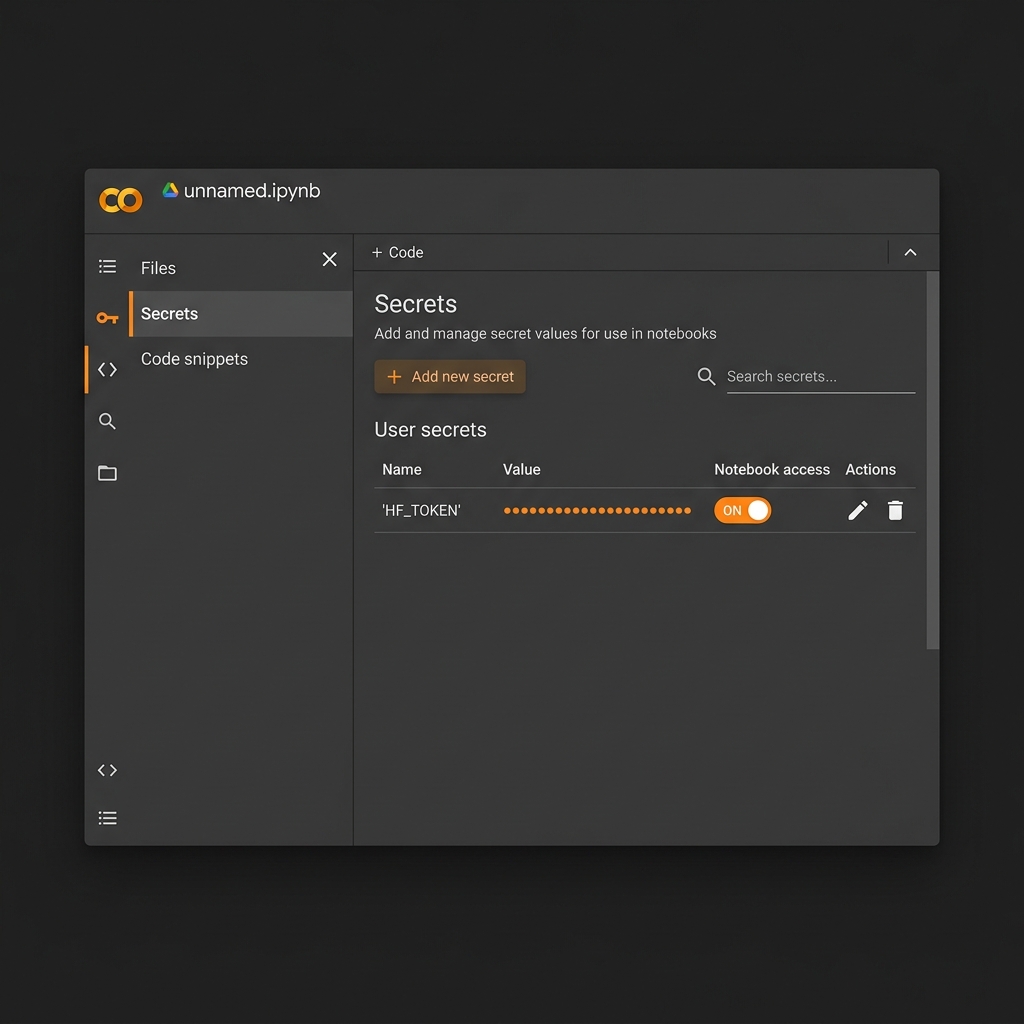
Figure 1:An example of setting the HF_TOKEN in the Google Colab Secrets tab.
3. Authenticate and Download via API
With your secret configured, you can now authenticate and download datasets smoothly using a few lines of code in your notebook.
!pip install huggingface_hub

from google.colab import userdata
from huggingface_hub import login, snapshot_download

# 1. Retrieve the token safely
hf_token = userdata.get('HF_TOKEN')

# 2. Login to Hugging Face
login(hf_token)

# 3. Download a dataset directory!
dataset_path = snapshot_download(
    repo_id="OceanCV/SHRCrabsandFishClassification",
    repo_type="dataset",
    local_dir="/content/CrabsAndFish"
)
print(f"Dataset securely downloaded to {dataset_path}")